
Create a cutting layout diagram for the board material | CutPlan
Create a layout on the original board. You can arrange rectangular parts on standard sizes and scraps, and confirm and share the cutting details.
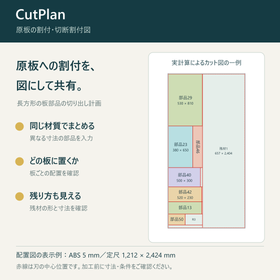
This is a Windows software that examines how to arrange multiple board parts on a base board using diagrams. You can specify the dimensions and quantities of the parts, as well as the available boards, to create cutting layout diagrams for the materials. It calculates by grouping parts of different widths and heights with the same material and thickness, considering standard sizes and leftover materials as candidates. You can compare the required quantities and yield, and check the cutting lines and part arrangements of the adopted plan. You can confirm which parts are arranged on which board and how the leftover materials will remain, using diagrams and dimensions. It can be used for sharing between the person preparing the materials and the person doing the cutting through black-and-white printing or PDF saving.
- Company:響己舎Labo
- Price:Other
